
| What you want to do | What does it |
|---|---|
| Raise a fee for new bookings only | Match by booked date |
| End a fee for bookings after a date | Booked-date periods |
| Keep statements as they are | Fees on statements stay put |
Until now, a fee period always applied by the date of the stay. If you raised a cleaning fee from March, guests who had booked in January at the old price got the new fee on their statement anyway. Now you choose.
Stay date or booked date
When you add a fee to listings, or change its dates, pick Match by:
- Stay date: the fee applies to stays in the period. This is the default and works as before.
- Booked date: the fee applies to reservations booked in the period, whenever the stay is.
Fee periods that match by booked date carry a Booked date badge on the listing’s fee.
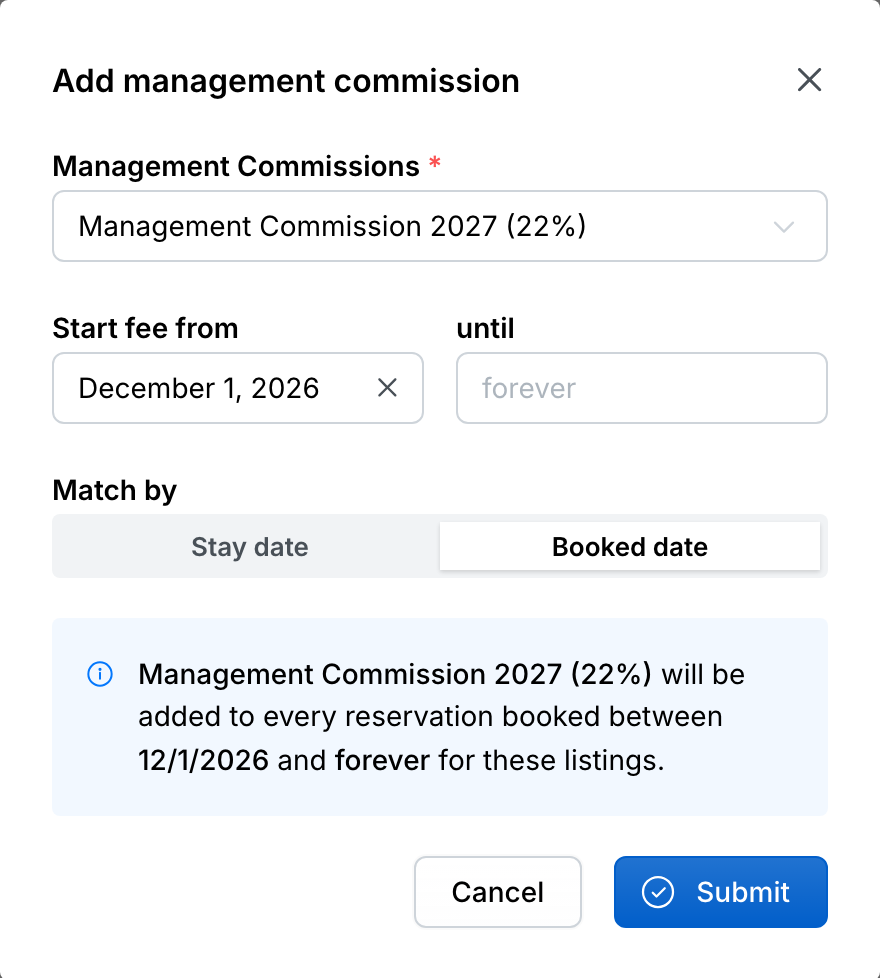
Change a rate from a booking date
To give bookings from a date a new rate, add a booked-date period from that date next to the existing one. Reservations booked earlier keep the old rate, even when they stay after the change.
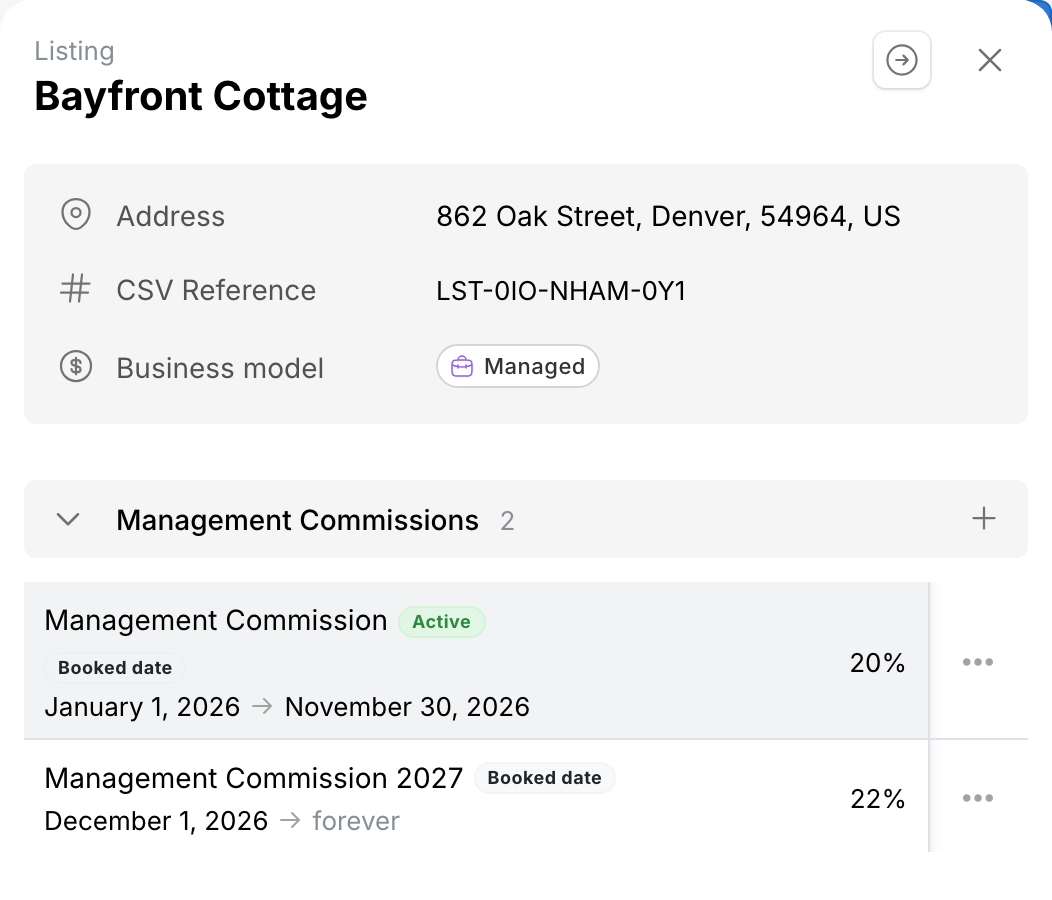
To stop a fee for later bookings, end it on booked date. Reservations booked before the end date keep the fee.
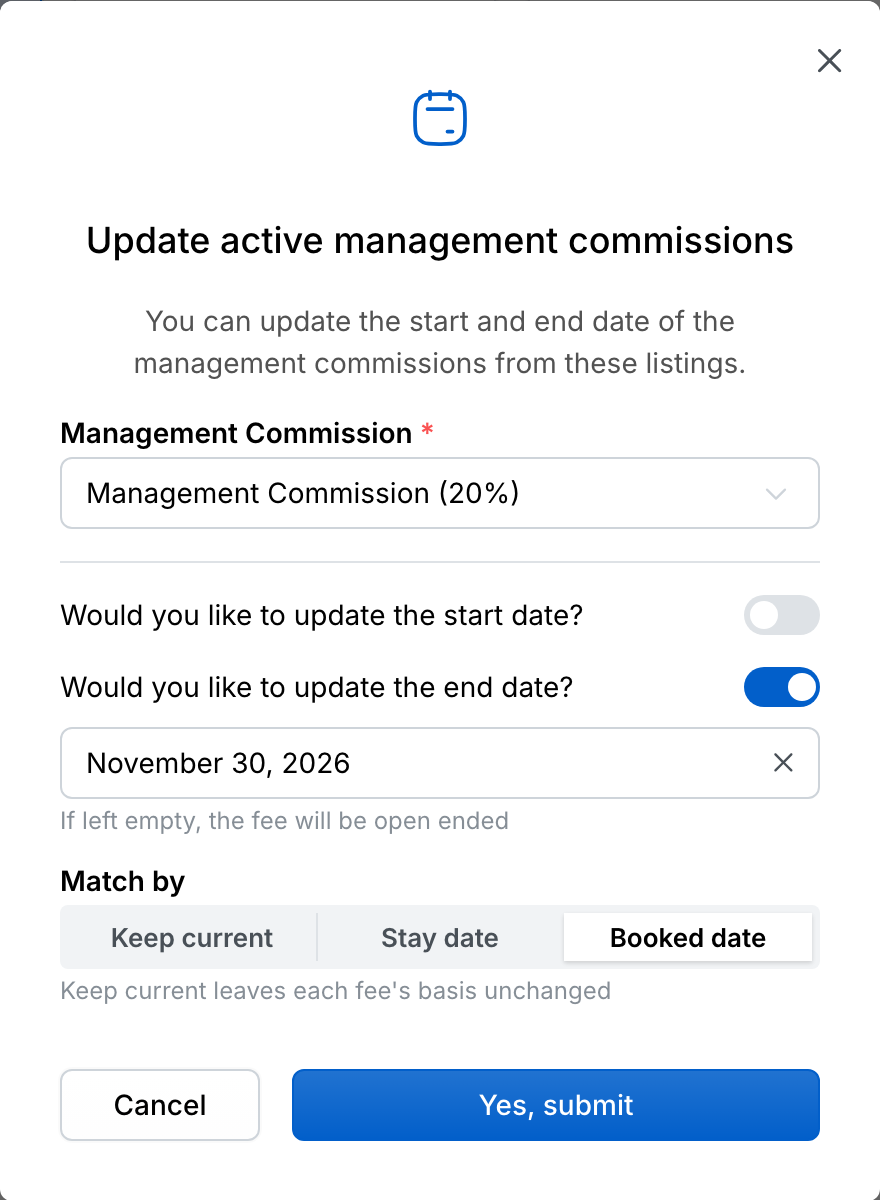
Statements never change
Changing a period updates the fees of reservations that aren’t locked. A fee that is already on an owner statement, or in a period with closed books, stays exactly as it is.