
| What you want to do | What does it |
|---|---|
| Show owners how their properties perform | Owner dashboard |
| Decide what owners see | Dashboard cards, Live preview |
| Check what one owner sees | Owner → Metrics |
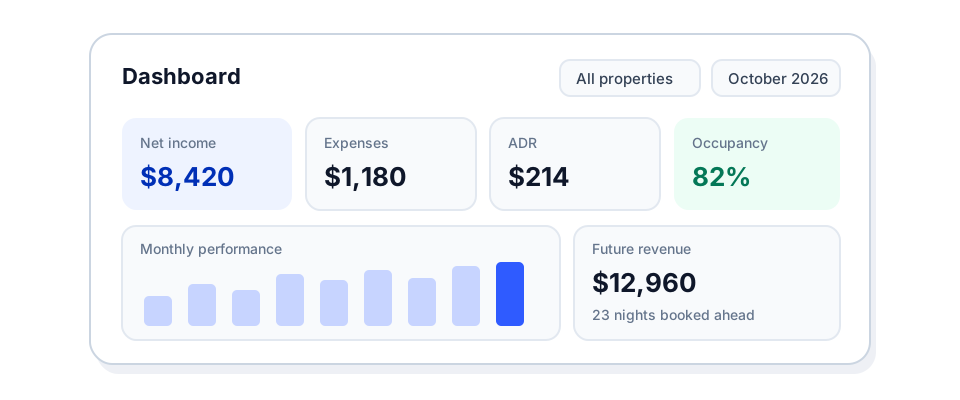
Owners used to open the portal on a list of statements. Now they land on a dashboard that answers their first question: how are my properties doing?
What owners see
The dashboard shows one month at a time, for all of an owner’s properties or one of them:
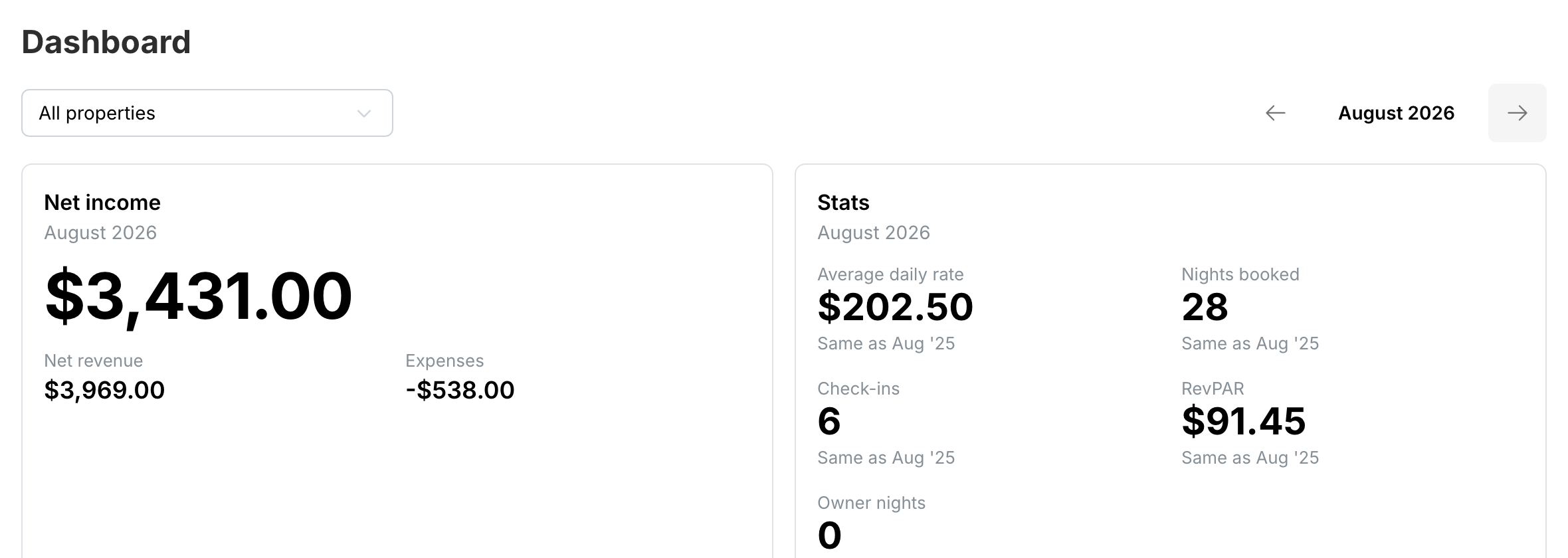
- Net income and Expenses for the month.
- Stats: ADR, nights booked, check-ins, RevPAR and owner nights.
- Monthly performance over time.
- Future revenue and Occupancy.
- Reservations.
Owners switch the month, the property and the currency at the top of the page.
You choose the cards
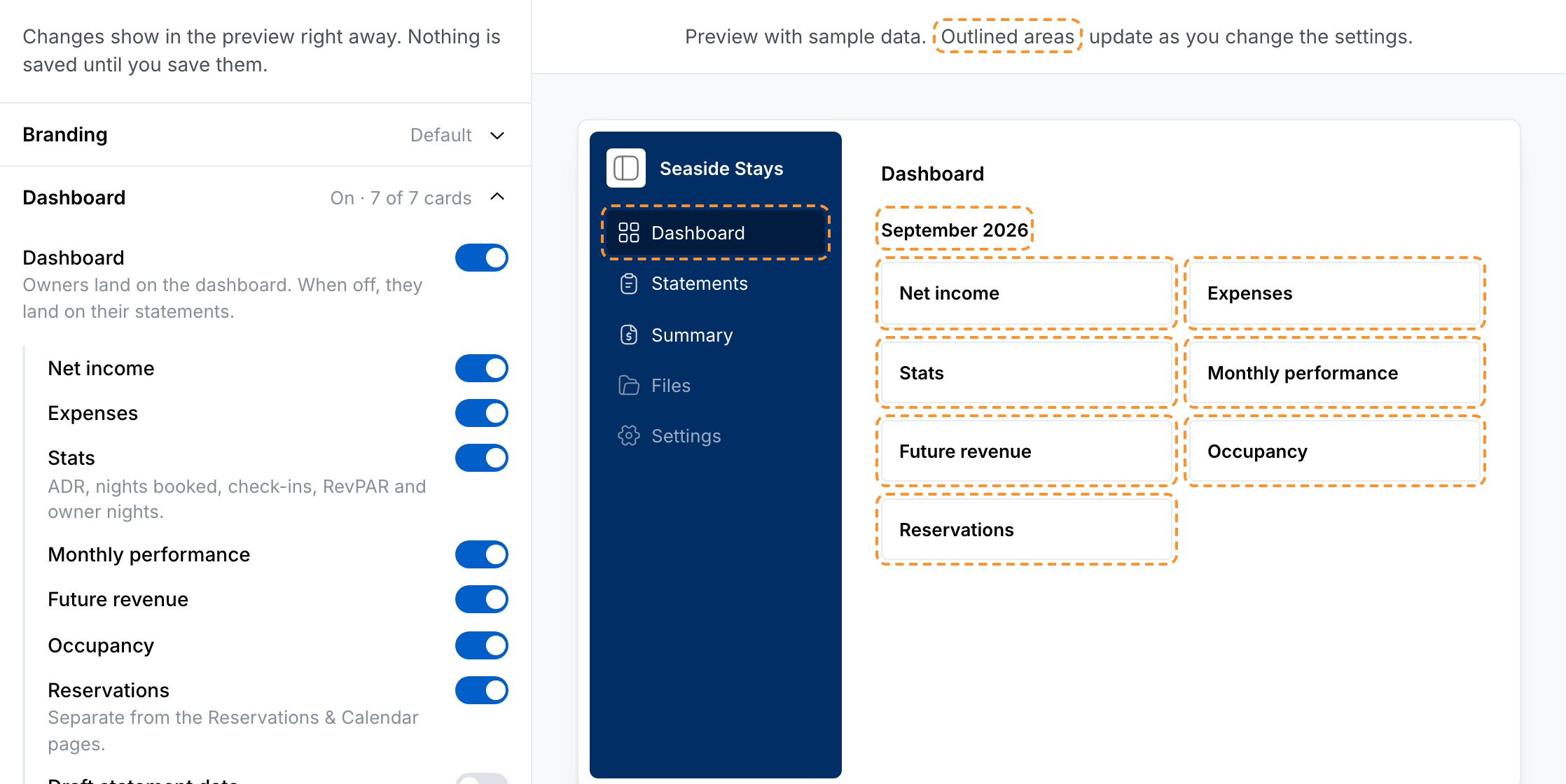
Turn the dashboard on in Settings → Owner Portal → Dashboard, then pick which cards owners see. Draft statement data decides whether owners also see months that are still in draft. When it’s off, they only see months with a published statement. With the dashboard off, owners land on their statements as before.
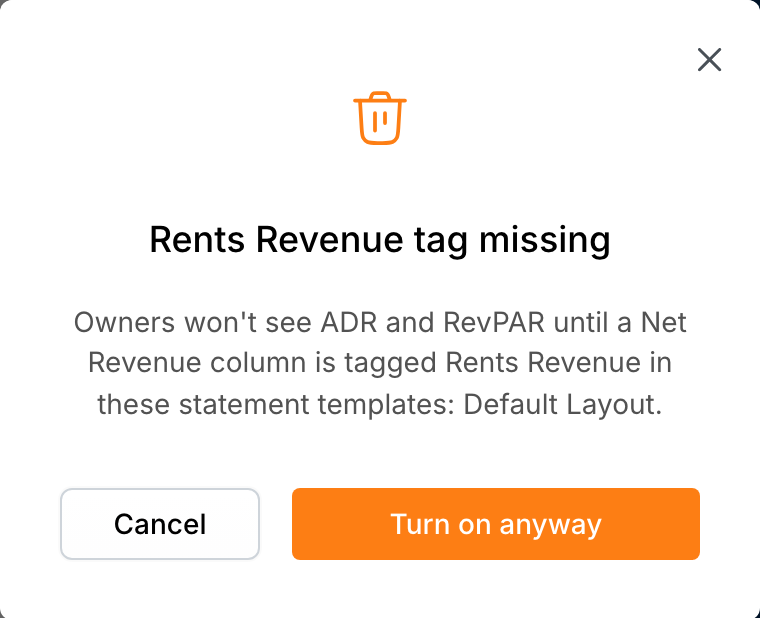
ADR and RevPAR need a Net Revenue column tagged Rents Revenue in your statement templates. If one is missing, VRTrust names the templates to fix when you turn the dashboard on.
See changes before you save
The Owner Portal settings page now has a live preview. Every switch you change shows in the preview with sample data straight away, and nothing reaches your owners until you save.
See it as one owner
Open an owner and go to the Metrics tab to see the dashboard exactly as that owner sees it. A note at the top says whether the owner can see it, or why not, for example when they have no active owner portal access yet.
The dashboard is available to teams that keep their general ledger in VRTrust. Only Team Admins can change Owner Portal settings.