
| What you want to do | What does it |
|---|---|
| Pay owners after publishing statements | Pay statements in one run |
| Pay vendor bills | Expenses → Pay |
| Pay through your own bank | Nacha files, Printed checks |
| Find, re-download or void a payment | Payment batches |
Paying owners used to mean a statement run in VRTrust, then a second round of work in your bank portal or a check printer. Now the payment starts where the statement ends.
One run for every payee
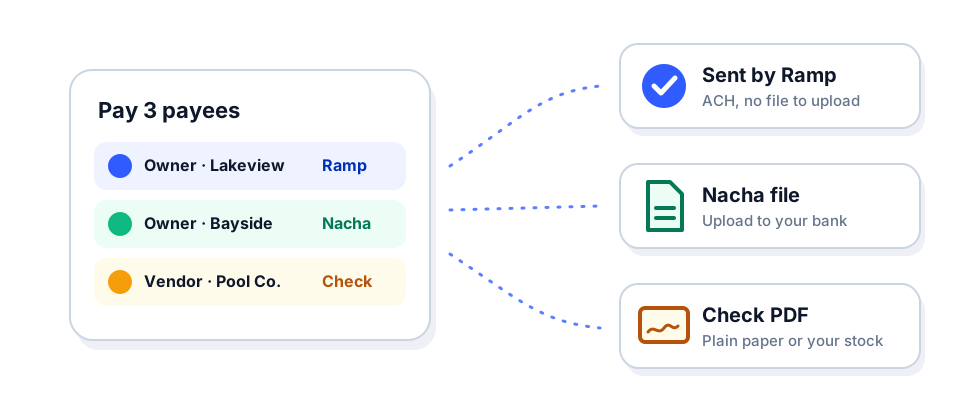
Select the owner statements or unpaid vendor expenses you want to pay and press Pay. Each row starts on the method the payee is set up for, and you can change it per row before you submit:
- ACH via Ramp: Ramp sends the money.
- ACH via Nacha: you get a Nacha file to upload to your bank.
- Check: you get a PDF to print.
- Mark as paid: for anything you paid outside VRTrust.
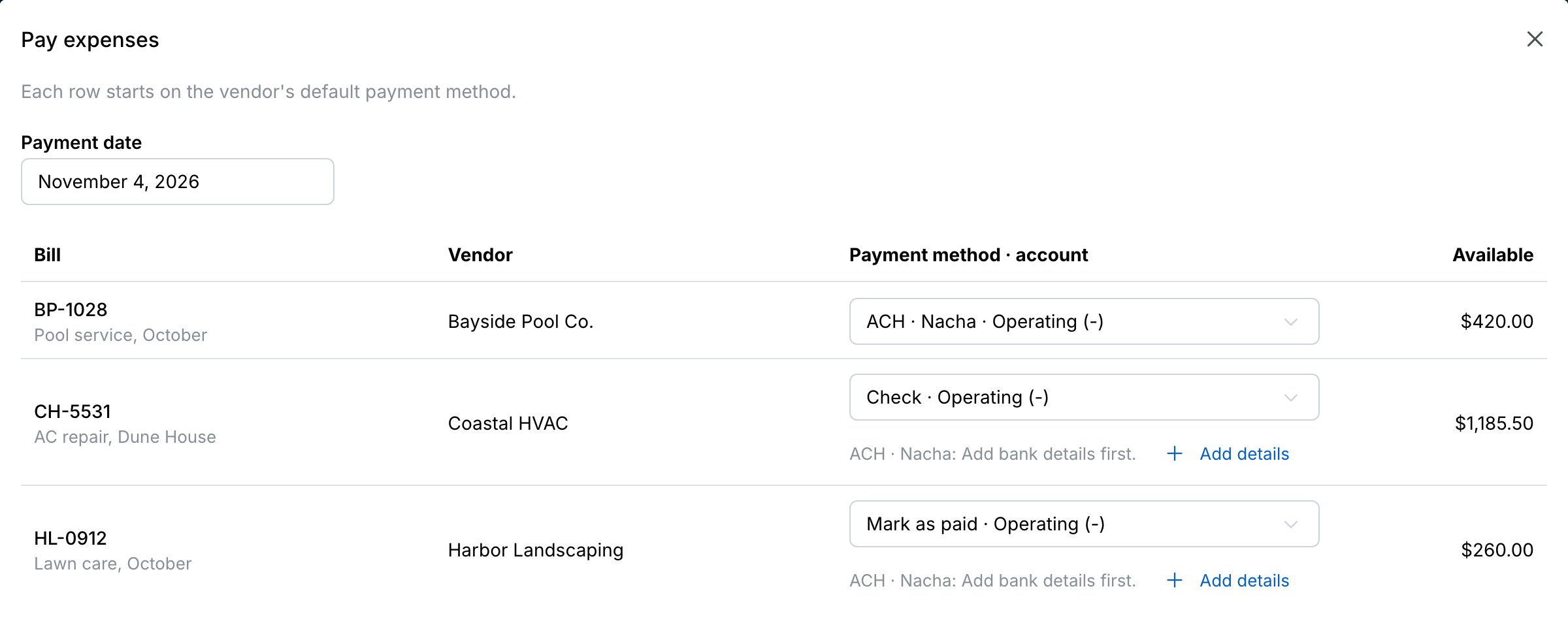
When you submit, VRTrust records every payment, locks the paid statements and bills, and gives you one Nacha file and one check PDF per bank account you pay from.
Nacha files your bank accepts
Set up Nacha once in the bank account’s Payment files tab. Each payee gets one entry per run, and the entry lists the statements or bills it pays.
Checks on plain paper or your stock
Print on plain paper or on pre-printed check stock. Each payee gets one check per run, and the stub lists what it pays. A voided check number is never used again.
Every file in one place
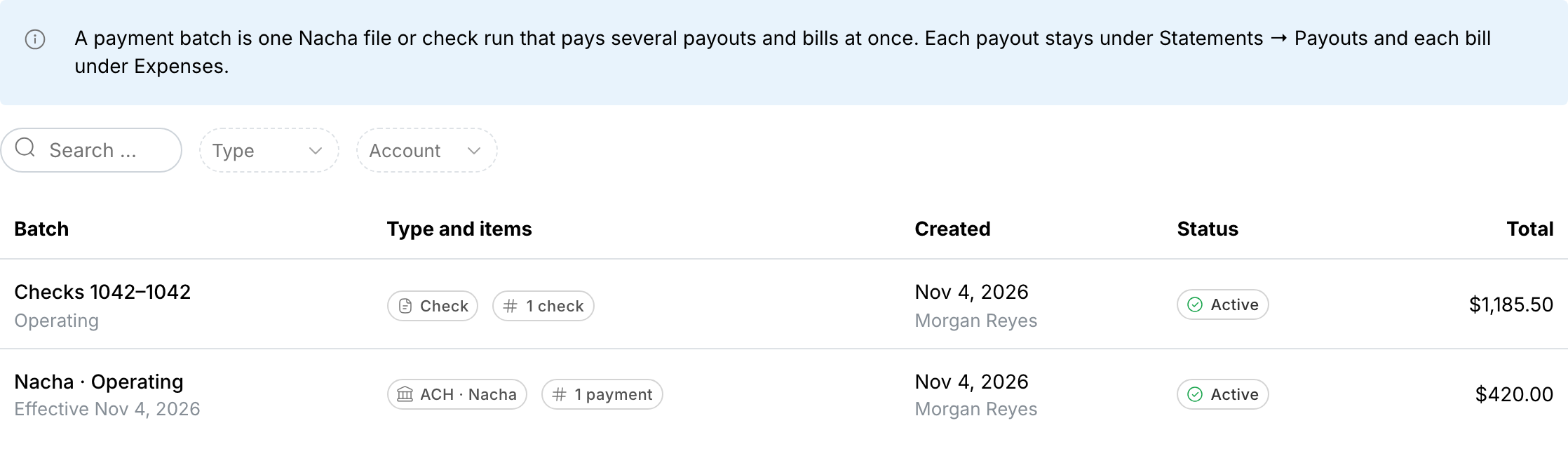
Banking → Payment batches keeps every Nacha file and check PDF. Download one again, reprint a check or void a batch. A voided batch unlocks its statements and bills so you can pay them again.
Only users with the ACH Payer permission can pay by Ramp, Nacha or check. Everyone else can mark payments as paid.